
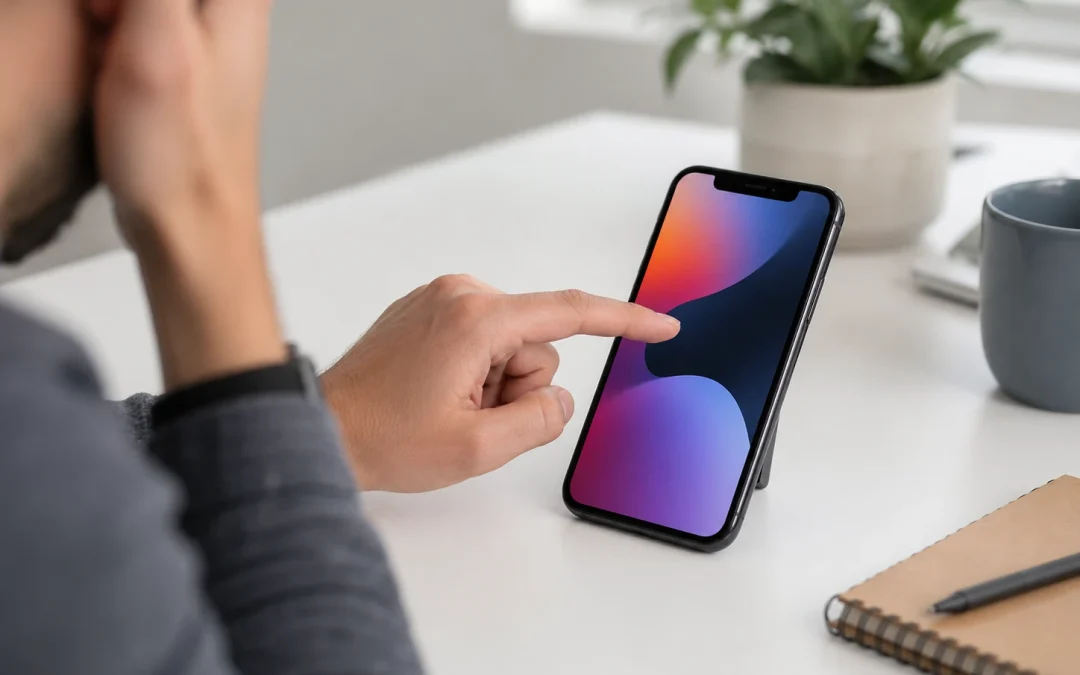
When your iPhone screen stops responding to touch, it can feel like the whole phone is useless. You can see the screen, notifications still come in, and the phone might even ring, but you cannot swipe, type, answer calls, unlock the device, or open your apps properly.
The important thing is not to guess. A touch issue can come from software, accessories, screen damage, battery problems, internal damage, or the display assembly itself. Before replacing the phone, it is worth understanding what may be causing the problem and when professional repair makes sense.
For Toronto customers, The Repair Store offers professional iPhone repair in Toronto for screen problems, touch issues, cracked displays, charging problems, battery concerns, and other common iPhone repair needs.
What Does It Mean When Your iPhone Touch Screen Stops Working?
An iPhone touch screen problem can show up in different ways. Some people cannot use the screen at all. Others find that only part of the screen responds. In some cases, the screen works for a few minutes and then freezes again.
Common touch screen symptoms include:
- The screen does not respond when you tap it.
- The phone does not swipe up or unlock.
- Typing is delayed or inaccurate.
- Only one part of the screen works.
- The screen responds by itself without being touched.
- The display freezes during normal use.
- The screen works sometimes, then stops again.
- The phone shows lines, black spots, or flickering along with touch problems.
These symptoms can point to different causes. A temporary freeze may be software-related. A dead touch area after a drop may point to screen or digitizer damage. A screen that responds randomly may be affected by moisture, pressure, a bad screen protector, or internal display issues.
Quick Things to Check Before Assuming the Screen Is Broken
Before you assume the screen needs repair, it is worth checking a few simple things. Apple’s official guidance for an iPhone or iPad screen that is not working recommends restarting the device, making sure the screen is clean and dry, disconnecting accessories, and removing cases or screen protectors if the screen is too sensitive or only responds sometimes. You can review Apple’s screen troubleshooting guidance for more details.
| What to Check | Why It Matters | What to Do |
|---|---|---|
| Dirty or wet screen | Moisture, oil, or debris can affect touch response | Clean and dry the screen gently |
| Screen protector | A damaged or poorly fitted protector can interfere with touch | Remove it and test the screen again |
| Phone case | Some cases press against the edges of the display | Remove the case and test the screen |
| Charging cable or accessory | A faulty charger or accessory can cause strange screen behaviour | Disconnect accessories and test the phone |
| Temporary software freeze | The phone may be stuck, not physically broken | Restart or force restart the iPhone |
If the screen starts working after one of these steps, the issue may not require a screen replacement. If the problem keeps coming back, or if the phone was dropped or exposed to liquid, it is better to have it checked.
Common Cause 1: The iPhone Screen Is Dirty, Wet, or Greasy
This sounds basic, but it happens often. Touch screens need a clean surface to read finger movement properly. If the screen is wet, oily, covered in dust, or has residue from food, lotion, makeup, or cleaning products, it may not respond the way it should.
This is common for phones used in kitchens, cars, repair shops, gyms, and outdoor job sites. It can also happen after rain or snow, which is very Toronto-coded.
Use a soft, dry, lint-free cloth to clean the screen. Avoid using harsh chemicals or spraying liquid directly onto the phone. If the screen works normally after cleaning, you may have just saved yourself a repair visit. Beautiful. We love a low-cost plot twist.
Common Cause 2: A Damaged Screen Protector or Case
A screen protector is supposed to protect the iPhone, but a damaged or poorly installed one can sometimes create touch problems. If the protector is cracked, lifting, too thick, or trapping moisture underneath, it may make the screen less responsive.
A tight case can also press against the edges of the display. This can cause the phone to behave strangely, especially if the case is warped or if the phone was dropped while inside the case.
Remove the case and screen protector, then test the phone again. If the screen works properly, the device itself may be fine. If the screen is still unresponsive, the issue is likely deeper.
Common Cause 3: The iPhone Froze or Has a Software Issue
Not every touch problem is caused by physical damage. Sometimes the iPhone freezes because of a software glitch, app issue, update problem, or memory overload.
Signs of a possible software issue include:
- The phone freezes in one app.
- The screen stops responding after opening a specific app.
- The issue started after an update.
- The phone works again after restarting.
- The screen is not cracked and there are no display lines or black spots.
If the problem is software-related, restarting the phone may help. If the touch screen does not respond at all, a force restart may be needed. If the issue continues after restarting, the phone should be inspected, especially if there is any history of impact or liquid exposure.
Common Cause 4: The iPhone Was Dropped
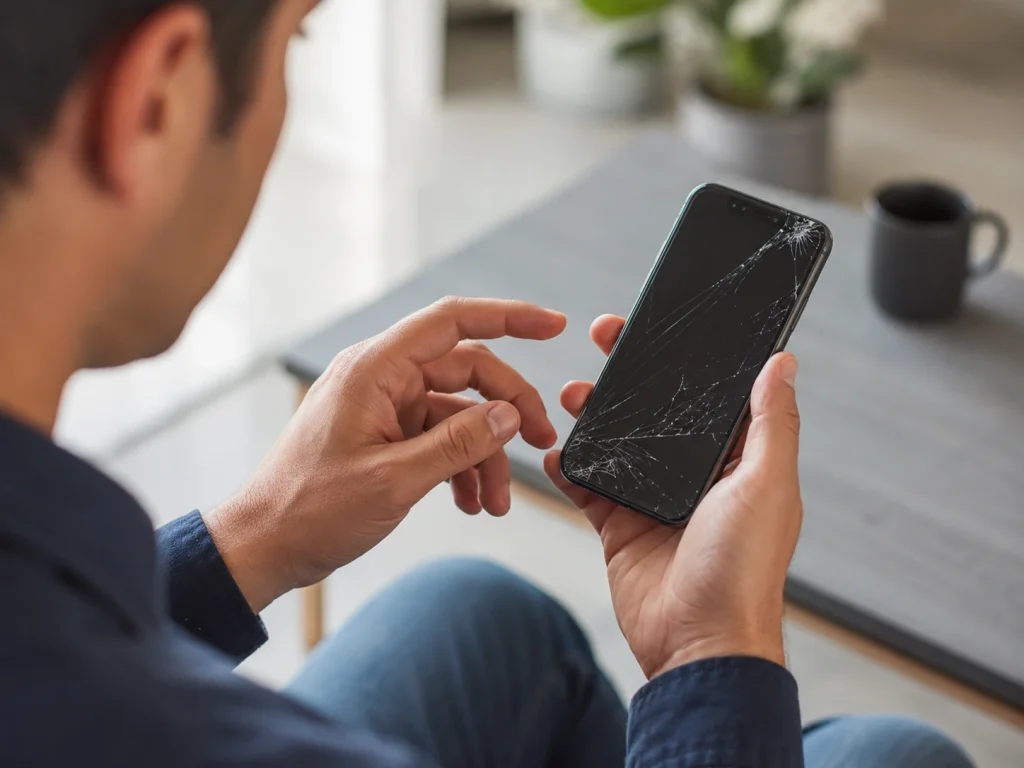
Drops are one of the most common reasons an iPhone touch screen stops working. The screen may look fine from the outside, but internal display components can still be damaged. In other cases, the glass may be cracked and touch may fail right away or gradually get worse.
A drop can damage:
- The glass
- The display panel
- The digitizer, which reads touch input
- Internal screen connectors
- The frame
- Camera or Face ID-related components
If the touch issue started after a drop, professional diagnosis is the smartest move. The screen may need replacement, but the technician should also check whether the frame is bent or whether other internal parts were affected.
The Repair Store’s electronic device repair services can help diagnose iPhones that have screen damage, touch issues, charging problems, or other impact-related symptoms.
Common Cause 5: Water or Moisture Damage
Water damage can cause touch screen problems even if the phone still turns on. Moisture can affect the display, connectors, battery, charging port, and internal board components. Sometimes the screen stops responding immediately. Other times, the problem appears later.
Touch issues from water damage may include:
- Random tapping or ghost touch
- Dead areas on the screen
- Delayed touch response
- Flickering display
- Screen freezing
- Phone shutting off randomly
If the phone was exposed to water, rain, snow, coffee, or any other liquid, do not keep charging it and hoping for the best. That is the tech version of “ignore it and maybe it goes away,” which almost never wins.
Bring it in for inspection. A technician can check for signs of moisture and determine whether the screen, connectors, or other internal components are affected.
Common Cause 6: Ghost Touch
Ghost touch happens when the iPhone screen acts like it is being touched even when you are not touching it. Apps may open by themselves, letters may type randomly, or the screen may scroll without your finger on it.
Ghost touch can be caused by:
- A damaged screen
- A faulty screen protector
- Moisture under the display
- Pressure from a tight case
- Internal connector issues
- Previous repair problems
- Display assembly failure
If removing the case and screen protector does not fix it, ghost touch usually needs professional diagnosis. It can become more than annoying. It can make the phone almost impossible to use, especially when typing passwords or making calls.
Common Cause 7: Previous Screen Repair Issues
If the iPhone screen was repaired before and now the touch is not working properly, the issue may be related to the previous repair. That does not always mean the repair was bad, but it does mean the phone should be checked carefully.
Possible repair-related causes include:
- A loose display connector
- A poor-quality screen
- Adhesive or fitment problems
- Frame pressure on the screen
- Internal damage from the original drop
- Water resistance being reduced after repair
A technician can inspect the screen fit, test the touch response, and check whether the issue is with the display part, installation, or another internal problem.
Common Cause 8: Battery Swelling or Internal Pressure
If the screen is lifting from the frame or the phone looks slightly separated, stop using it and get it checked. A lifting screen can sometimes be caused by battery swelling or internal pressure.
This is not something to press back into place. Pushing the screen down can damage the display, battery, or internal components. If the device feels warm, swollen, or separated, avoid charging it and have it inspected by a repair professional.
Screen touch issues caused by internal pressure are not just a screen problem. The phone needs a full diagnosis to find the cause.
How to Tell If It Is a Software Issue or a Hardware Issue
The difference between software and hardware is important because it affects the repair path. Software issues may be fixed by restarting, updating, or resetting the device. Hardware issues usually need parts repair or replacement.
| Symptom | More Likely Software | More Likely Hardware |
|---|---|---|
| Screen freezes once in a while | Yes, especially if it happens in one app | Possible if it gets worse over time |
| Touch stopped after a drop | Less likely | Yes, screen or connector damage is possible |
| Only part of the screen works | Less likely | Yes, digitizer or display issue is possible |
| Screen has lines or black spots | Less likely | Yes, display damage is likely |
| Problem improves after restart | Yes | Still possible if the issue returns |
If the screen is physically damaged, has lines, flickers, has dead areas, or stopped working after a drop, assume hardware may be involved. A proper diagnosis will confirm what is actually wrong.
When Does an iPhone Touch Issue Need Screen Repair?
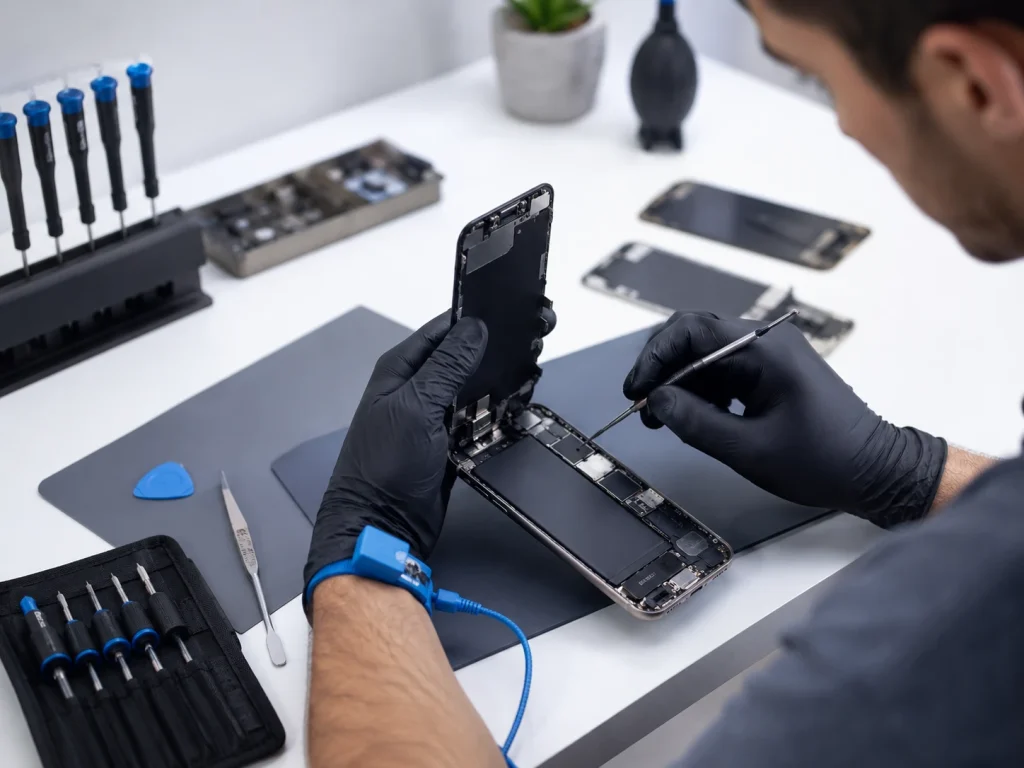
An iPhone touch issue may need screen repair when the display assembly is damaged. This is more likely if the phone was dropped, cracked, exposed to pressure, or previously repaired.
Screen repair may be needed if:
- The screen is cracked and touch does not work.
- Only part of the screen responds.
- The screen has black spots or coloured lines.
- The phone has ghost touch after a drop.
- The display is lifting or separated.
- The screen flickers and becomes unresponsive.
- The issue continues after cleaning, restarting, and removing accessories.
Apple’s iPhone screen repair page explains that customers can troubleshoot screen issues and arrange repair or replacement options. For out-of-warranty phones, local repair can also be a practical option, especially when the phone needs an in-person inspection before deciding what to do.
Should You Repair the Screen or Replace the Phone?
If the touch issue is caused by screen damage, the next question is whether screen repair is worth it. In many cases, it is.
Screen repair is usually worth considering when the iPhone is still fast, the battery is healthy, the camera works, the charging port works, and the screen is the main issue. Replacing the whole phone because of one damaged screen may be unnecessary, especially if the device still meets your needs.
Replacing the phone may make more sense if it has several problems at once. For example, if the screen does not respond, the battery drains quickly, the back glass is broken, the frame is bent, and the phone is already old, screen repair alone may not be the best value.
| Phone Condition | Repair May Make Sense | Replacement May Make Sense |
|---|---|---|
| Newer iPhone, screen touch issue only | Yes | Usually not necessary |
| Older iPhone, still works well | Possibly | Compare the repair cost |
| Touch issue plus weak battery | Maybe, if total repair cost is reasonable | If multiple repairs add up too much |
| Water damage signs | Diagnosis first | If internal damage is severe |
| Bent frame and display problems | Depends on inspection | If repair quality may be affected |
The best answer comes from checking the full device, not just the screen. That includes the battery, frame, charging port, cameras, speakers, and signs of water damage.
Can You Fix an iPhone Touch Screen Yourself?
Some people try DIY screen repair, but it is not the right option for most customers. iPhone screen repair involves small screws, delicate display cables, adhesive, sensors, and careful testing. One mistake can create more problems than the original touch issue.
Apple’s Self Service Repair program provides access to genuine Apple parts, tools, and repair manuals for people with experience repairing electronic devices. The important part is experience. This type of repair is not the same as replacing a case or applying a screen protector.
If you are not comfortable working with delicate electronic parts, professional repair is the safer choice. DIY repair can lead to damaged connectors, display problems, Face ID issues, or poor screen fitment. Saving money only works if the repair actually goes right.
Why In-Store Diagnosis Matters
Touch problems can be tricky because the symptom is obvious, but the cause is not always obvious. The screen may be the issue, but it could also be a connector, software freeze, accessory problem, water damage, battery swelling, or frame pressure.
An in-store diagnosis helps answer key questions:
- Is the screen physically damaged?
- Is the display underneath affected?
- Is the frame bent?
- Is there moisture or liquid damage?
- Is the battery swelling?
- Is the touch issue constant or intermittent?
- Is screen repair worth it compared to replacing the phone?
This is especially helpful when the phone still turns on but cannot be used properly. A technician can test the device, inspect the screen assembly, and explain the repair options before you spend money.
Will Your Data Be Safe During Repair?
Most screen-related repairs do not require erasing your data. Your photos, messages, apps, contacts, and files usually remain on the phone. Still, it is always smart to back up your iPhone before any repair.
A backup protects you if the phone has deeper damage or if something unexpected happens. If the screen does not work at all, backing up may be harder, but a technician can still explain your options depending on the condition of the device.
Before approving repair, ask whether the phone needs to be unlocked for testing and what functions will be checked after repair. A professional repair shop should respect your privacy and only test what is needed to confirm the repair was successful.
Do Not Wait Too Long If the Touch Problem Gets Worse
If your iPhone touch screen works sometimes but not always, do not ignore it for too long. Intermittent problems often become more frustrating over time. A small touch issue can become a complete no-touch issue, especially after another drop or exposure to moisture.
It is better to get the phone checked while it is still partly usable. That can make it easier to back up data, explain symptoms, and confirm what is wrong.
Bring the phone in sooner if:
- The touch problem started after a drop.
- The screen is cracked or lifting.
- The phone shows lines or black spots.
- The screen taps by itself.
- The phone was exposed to water.
- The device gets warm or shuts off randomly.
- You cannot enter your passcode properly.
Repairing Instead of Replacing Can Reduce E-Waste
If your iPhone is still useful, repairing it can be a better choice than replacing it right away. The City of Toronto explains that electronics should not go in the Blue Bin or garbage and should be handled through proper electronic waste disposal options. You can review the city’s electronic waste guidance for local disposal information.
Repairing a phone that still has life left can reduce unnecessary waste and delay replacement. Of course, if the phone has severe damage or is no longer practical to use, replacement may be the better choice. The goal is not to repair forever. The goal is to make a smart decision based on the device’s condition.
Questions to Ask Before Approving iPhone Screen Repair
Before approving a repair, ask a few simple questions. A reliable repair shop should be able to answer clearly.
- Is the touch issue caused by the screen?
- Is the display damaged or only the touch function?
- Is the frame bent?
- Is there any sign of water damage?
- Does the battery look healthy?
- Will my data be affected?
- How long will the repair take?
- What warranty is included?
- Is repair worth it based on the phone’s age and condition?
These questions help you avoid surprises and make a better repair-vs-replace decision.
Final Thoughts: Get the Touch Issue Checked Before Replacing the Phone
An iPhone screen touch issue does not always mean the phone is finished. Sometimes the fix is simple, like cleaning the screen, removing a damaged screen protector, restarting the phone, or disconnecting an accessory. Other times, the screen assembly, display, internal connectors, or other components may need professional repair.
The safest move is to start with diagnosis. If the phone is still in good condition and the screen is the main issue, repair may be the smarter and more affordable option. If the device is older, damaged in multiple places, or showing signs of deeper problems, replacement may be worth comparing.
For Toronto customers, The Repair Store can inspect your iPhone and explain whether screen repair is the right next step. Visit the iPhone repair page to learn more or bring your device in for an in-store diagnosis.
Frequently Asked Questions
Why is my iPhone screen not responding to touch?
Your iPhone screen may not respond because of dirt, moisture, a damaged screen protector, a tight case, a software freeze, screen damage, water exposure, or internal display problems.
Can a cracked iPhone screen cause touch problems?
Yes. A cracked screen can damage the display assembly or digitizer, which can cause dead touch areas, delayed response, ghost touch, or a completely unresponsive screen.
What is ghost touch on an iPhone?
Ghost touch happens when the iPhone screen responds as if it is being touched, even when no one is touching it. It can be caused by screen damage, moisture, pressure, accessories, or internal display issues.
Should I restart my iPhone if the touch screen is not working?
Yes. Restarting or force restarting the iPhone can help if the issue is caused by a temporary software freeze. If the problem returns, the phone should be inspected.
Will iPhone screen repair erase my data?
Most screen repairs do not erase data, but it is still smart to back up your iPhone before repair whenever possible.
When should I bring my iPhone in for repair?
Bring your iPhone in if the touch problem started after a drop, the screen is cracked, the phone has ghost touch, the screen has lines or black spots, or the issue continues after basic troubleshooting.