
My Samsung S8 fell out of my pocket as I was biking, causing extensive screen damage (5 large craters in the glass, bottom half of the screen flickering on and off). Gamerama fixed it the same day. It looks and feels as good as new - and this wasn't minor damage. I'm very happy with the speed and quality of the service.
Samsung Won’t Turn On Repair Toronto
Yonge & Eglinton · Midtown Toronto
- Same-day diagnosis
- Free diagnostics
- Warranty on all work
Galaxy dead or stuck on a black screen? Same-day diagnosis in Midtown Toronto.
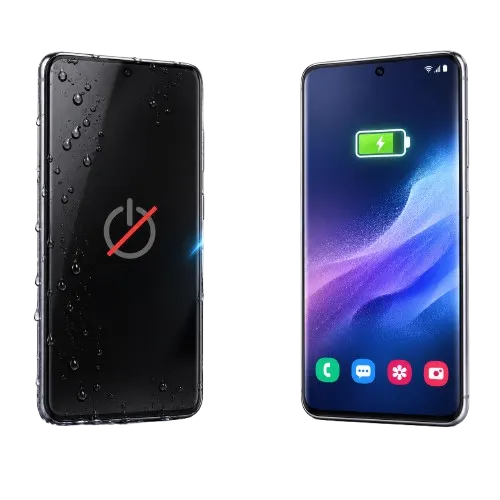
Samsung no power repair
Galaxy won’t turn on?
Here’s what we fix.
A phone that won’t power on can have a dead battery, a broken charging port, a failed screen or a board fault. We test each one so you only pay for the repair you need.
Battery Replacement
A worn or deeply drained battery is the most common reason a Galaxy won’t start. We test and replace it.
- dead battery
- swelling
Charging Port Repair
If the phone won’t charge, it can’t turn on. We clean or replace damaged USB-C ports.
- no charge
- loose cable
Black Screen, Phone Still On
Hear sounds or feel vibration but see nothing? The screen has likely failed, not the phone.
- black screen
- vibrates
Turns On and Off by Itself
Restart loops or a phone that shuts off at 30% point to a battery, software or board problem.
- boot loop
- restarts
Power Button Repair
A stuck or broken side key can stop the phone from turning on. We replace the button or its flex cable.
- side key
- button
Board-Level Power Repair
Water or drop damage can short the power circuit. We diagnose and repair the board when it’s possible.
- short
- no boot
What Samsung customers
are saying.
Real reviews from Samsung customers, taken word for word from our Google Business Profile.
Cracked my Samsung S3 screen. Fixed with absolutely no problems pretty much on the spot. technician (Alex) had to pick up the screen - but once he got it in, replaced the screen in minutes. Brilliant service.
Andy Han5-star Google review
I have been using Gamerama for several iphone and Samsung repairs. They do great work, they are thorough and know the best way to source parts. They are also very good as speaking up when a phone is not worth the repair.
Alex and team do a great job.
Gerry Skipwith5-star Google review
iphone screen and ipad screen repair in toronto .nintendo switch repair as well as samsung screen repair Very fast service,was very impressed with the level of professionalism,and speed .Would highly reccomend
Adnan Ahmed5-star Google review
How it works
No power repair,
in four steps.
Most battery, port and button repairs are done the same day when the part is in stock.
- 01
Free diagnostic
We test the battery, charging port, screen and board to find the real cause, free of charge.
- 02
Clear quote
You get the price and turnaround before any work starts. No surprises at pickup.
- 03
Expert repair
The faulty part is replaced, or the board is repaired when the fault is on the board itself.
- 04
Tested & warrantied
Power, charging, screen, cameras, speakers and signal are tested before you pick up your phone.
Dead Galaxy
Phone won’t start?
Try this first.
Sometimes a frozen phone only looks dead. A forced restart and a known-good charger rule out the simple causes before you bring it in.
Do
- Hold Side key + Volume down for 10 seconds
- Charge for 30 minutes with another cable
- Bring it in if nothing changes
Don’t
- Keep using a swollen phone
- Charge it if it got wet
- Factory reset before a backup
Models we fix
Every Galaxy model,
S26 to Z Fold8.
Don’t see your model? Call us and we’ll check parts for your phone.
What people
are saying.
Posted on Google 
Roland Mascarenhas
 Trustindex verifies that the original source of the review is Google.
Alex is amazing! Been fixing my iPhones for five years and always does them quickly and without problem! Recommended to friends as well.
Posted on Google
Julianne De Vincentis
Trustindex verifies that the original source of the review is Google.**UPDATE** Battery is still going STRONG - thank you!!!
Replaced the battery on my iPad Air 2 due to battery swelling - been almost a week of general usage and not being turned off, and the battery still hasn't needed to be charged. 10/10 would recommend. Super reasonable price too - much cheaper than buying a new device! Also bonus there was a beautiful dog there I got to pet :)
Posted on Google
v vn
Trustindex verifies that the original source of the review is Google.Thank you so much for fixing my 3ds
Posted on Google
Carol M.
 Trustindex verifies that the original source of the review is Google.
They did a great job on replacing the battery of my husband's console. He is very happy to be able to play his games again. Just the communication with the customer can see some improvement. I made an appointment for the battery replacement, the person told me on the phone it would take around 20 to 30 minutes to do it. But when I got there I had to leave the console and was told it would be ready later on the same day or maybe on the next day, and they would let me know when it was ready. But no one contacted me so on the 3rd day I asked about it and they said it was ready to pick up. Other than that I totally recommend this place.
Posted on Google
Moein Hasani
Trustindex verifies that the original source of the review is Google.I was there for the coffee a few times but chatted with the game sales folks and they gave me some solid guidance on buying a controller. really nice people i think i’ll start buying games from them instead of bigger retailers. i saw they had new games on release day as well.
Posted on Google
Filip Szulczewski
Trustindex verifies that the original source of the review is Google.My PS5 was overheating. I dropped it off at 3pm it was ready before 6pm. Excellent service.
Posted on Google
Russ S
Trustindex verifies that the original source of the review is Google.Game shop AND cafe!? Very interesting business, in the best possible way. Staff is very knowledgeable and friendly. The atmosphere is very inviting, and prices are better than similar places like this. Will definitely be back!
Posted on Google
LU SHERMAN
Trustindex verifies that the original source of the review is Google.Great service, reasonable prices and very nice people.
Repair your way
Three ways
to get it fixed.
Carry-in
Bring your device to our shop at 2470 Yonge St, Toronto.
Mail-in repair
Send your device to us and we’ll return it repaired.
We come to you
In-home and on-site repair across Toronto and the GTA.
Recognized & trusted
Award-winning.
Trusted by the pros.
We are excited to announce that we’ve won the Canadian Business Awards for the best cell phone repair shop in Toronto and the CBRB Best Businesses Award.








Service areas
Samsung No Power Repair
near you.
Our store is at Yonge & Eglinton in Midtown Toronto. We fix Galaxy phones for customers across Toronto, and across Canada by mail-in.
More Samsung repairs
More Galaxy repairs
in one visit.
Bring in every problem with your Samsung and we’ll diagnose it all at once, along with any other devices.
Samsung No Power Repair
questions
Why won’t my Samsung turn on?
The most common causes are a drained or worn battery, a damaged charging port, a failed screen, water damage or a software crash. A forced restart rules out software. If that doesn’t work, we diagnose it for free.
How do I force restart a Galaxy phone?
Hold the Side key and Volume down together for about 10 seconds until the Samsung logo appears. On older Galaxy phones with a Power key, hold Power and Volume down.
How much does it cost to fix a Samsung that won’t turn on?
It depends on the cause. A battery or charging port costs less than a screen or board repair. We diagnose your phone for free and quote before any work starts.
My phone vibrates but the screen is black. Is it the screen?
Usually, yes. If you hear sounds or feel vibration, the phone is running and the display has failed. A screen replacement fixes it.
Can you save my data if the phone won’t turn on?
In many cases, yes. If the phone can’t be repaired, we can often recover photos and files from the board.
Will I lose my data during the repair?
Most repairs do not touch your data. We still recommend a backup to Samsung Cloud, Google or Smart Switch before any repair, and we tell you first if a repair could affect your data.
Do I need an appointment, and do you offer mail-in?
No appointment is needed. Walk in at 2470 Yonge St, near Yonge & Eglinton in Midtown Toronto, or call ahead. Customers across Canada can also mail their Samsung to us. Contact us before you ship.